Dual Play lets two NAVA 100 speakers play together in stereo.
Before you start:
-
You need two NAVA100 speakers.
-
Only one speaker should be connected to your phone or device.
To enable Dual Play:
-
Turn on the first speaker and connect it to your phone or device via Bluetooth.
(This is the “paired” speaker.) -
Turn on the second speaker.
-
Make sure it is not connected to any device via Bluetooth.
-
-
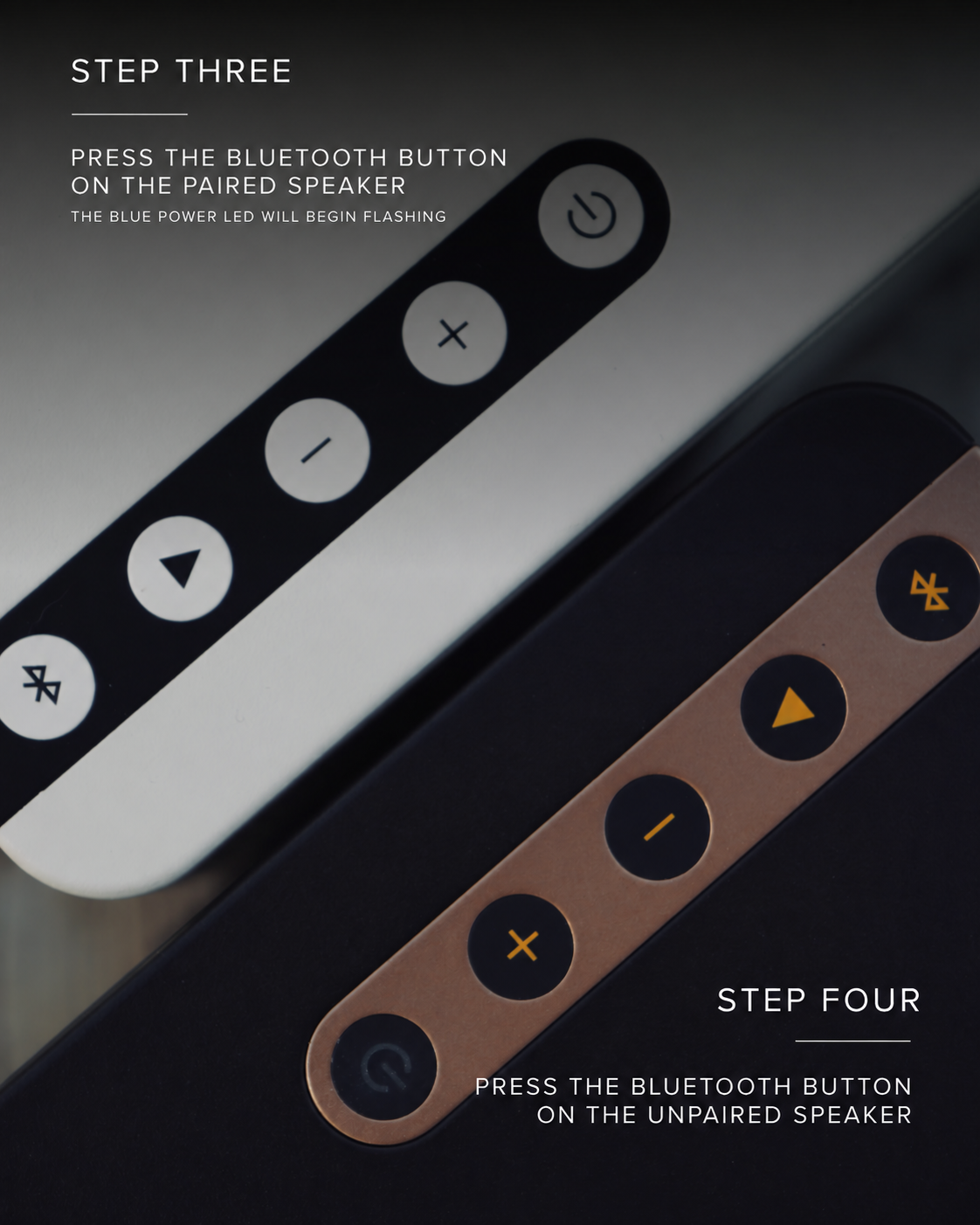
Press the Bluetooth (BT) button on the paired speaker.
-
Press the Bluetooth (BT) button on the unpaired speaker.
-
Wait 1–3 seconds.
-
The two speakers will automatically connect and play in stereo.
-
To disconnect Dual Play:
-
Press the Bluetooth (BT) button once on either speaker.
Stereo Channel Assignment
-
Left channel: Paired speaker (master)
-
Right channel: Unpaired speaker
Dual Play does not connect
-
Turn both speakers off, then repeat the steps.
-
Make sure the second speaker is not connected to any device.
Watch the Dual Play setup video
See how to connect two NAVA100 speakers for stereo playback. Pause whenever you need more time, and use the written instructions above as your reference.
Dual Play: steps 3 and 4
Press the Bluetooth button on the paired speaker first, then press the Bluetooth button on the unpaired speaker.